Find SEO issues. Read Google PageSpeed results. Check a domain before you trust it. Control ad and tracker blocking — from one compact, free browser toolkit.
Version 0.3.16 · Development candidate · Store listings are being prepared
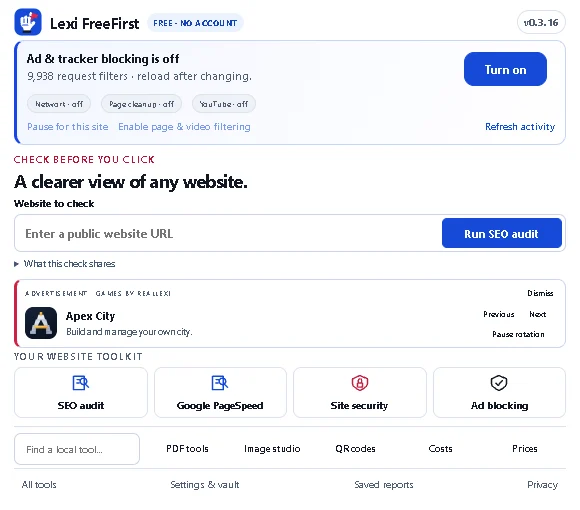
● ● ●Your browser. Your choices.ACTUAL INTERFACE
Local tools stay local. Network tests ask first.
A little more freedom.Useful tools. Clear limits.
01
More control over your browsing.
02
A clearer plan for your website.
03
Site reputation before the next click.
ONE USEFUL PLACE
Your website toolkit. Four clear priorities.
Improve the page, understand its speed, check the destination and choose what gets blocked. Everyday local tools come included.
⌕
01 · SEO AUDIT
Find the issue. Know the fix.
Inspect titles, descriptions, headings, links, images and structured data. Get a prioritized plan with safe HTML excerpts, observed values and verification steps.
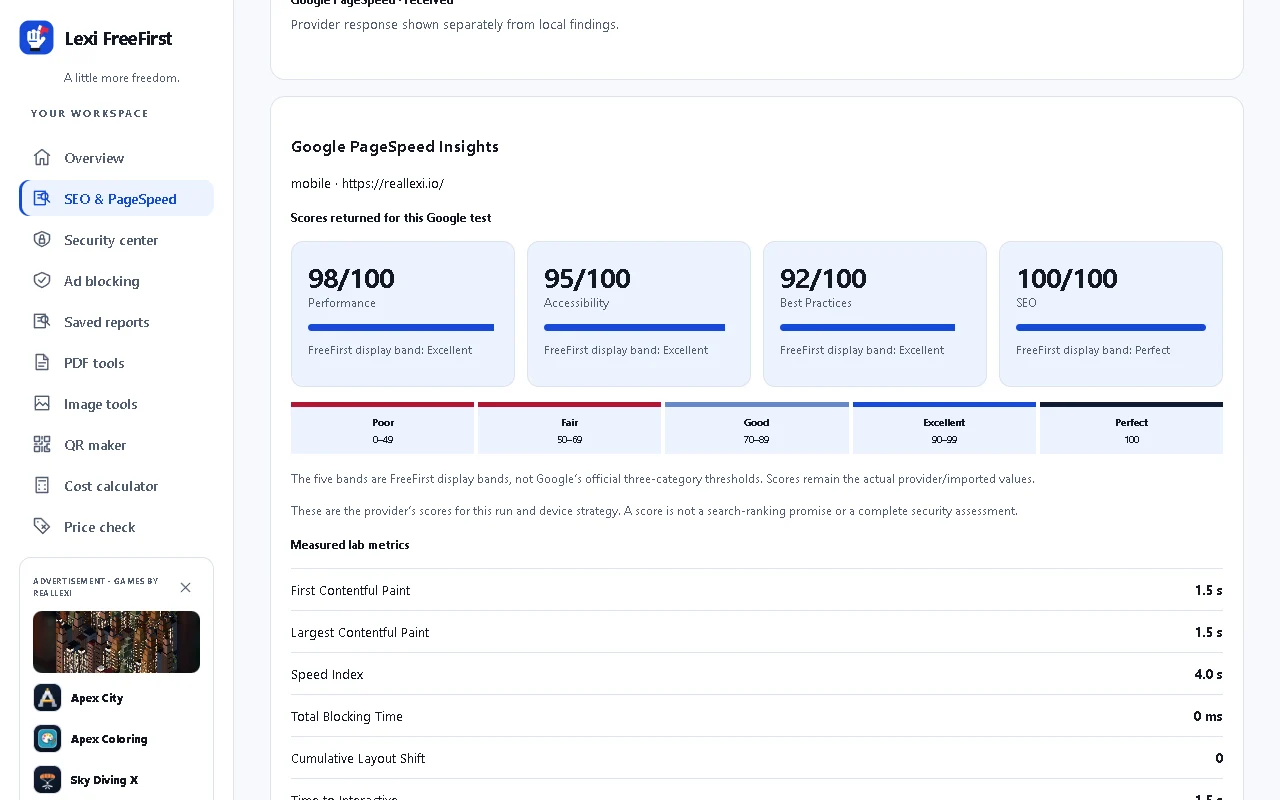
See Google’s returned performance, accessibility, best practices and SEO scores, lab metrics, tested-page screenshot and timed loading frames when supplied.
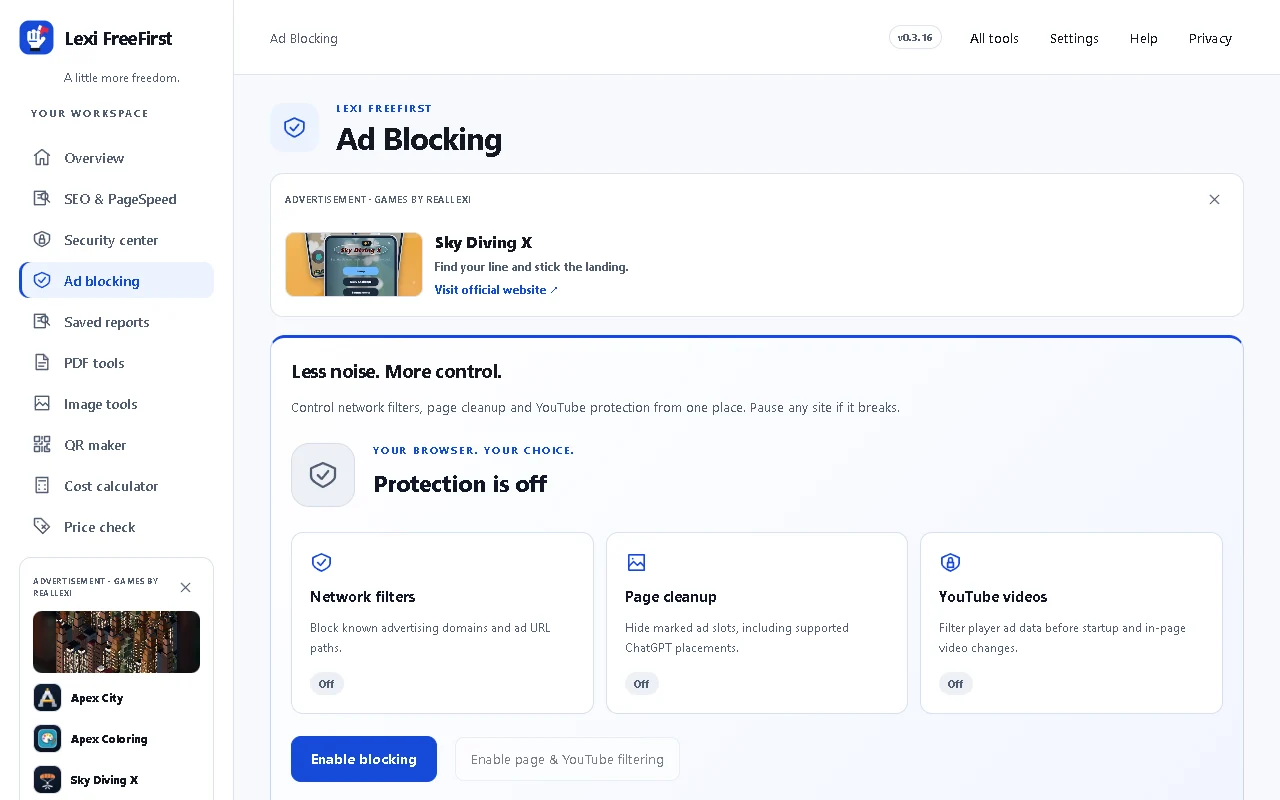
Block ad domains and advertising URL paths. With optional website access, hide marked ChatGPT ad placements and filter supported YouTube player ad data before playback. See network, page cleanup and video access separately. Pause a site directly in the popup.
See your blocking controlsNETWORK / PAGE CLEANUP / YOUTUBEActual FreeFirst workspace. Optional website access enables page and YouTube filtering; coverage varies and some ads may remain.
CLARITY, NOT A MYSTERY SCORE
A useful website audit ends with a next step.
FreeFirst turns page observations into a practical improvement plan. Each finding tells you what was observed, what you can change, and how to check your work.
1
Choose the page.
Use the selected browser tab, explicitly test a public URL, or import a saved HTML file.
2
Start with what matters.
Review priorities and evidence. Check indexing directives, titles, descriptions, links, images, headings and structured data.
3
Fix. Verify. Repeat.
Follow the suggested change and verification step. Export the report or compare another audit after your changes.
Google’s tests are a separate choice.
Optional PageSpeed sends the public URL to Google and displays returned scores, metrics, diagnostics and its tested-page screenshot here. API quotas can prevent a result. Retry or import Lighthouse JSON inside FreeFirst; imported data is labeled. No external report navigation is required.
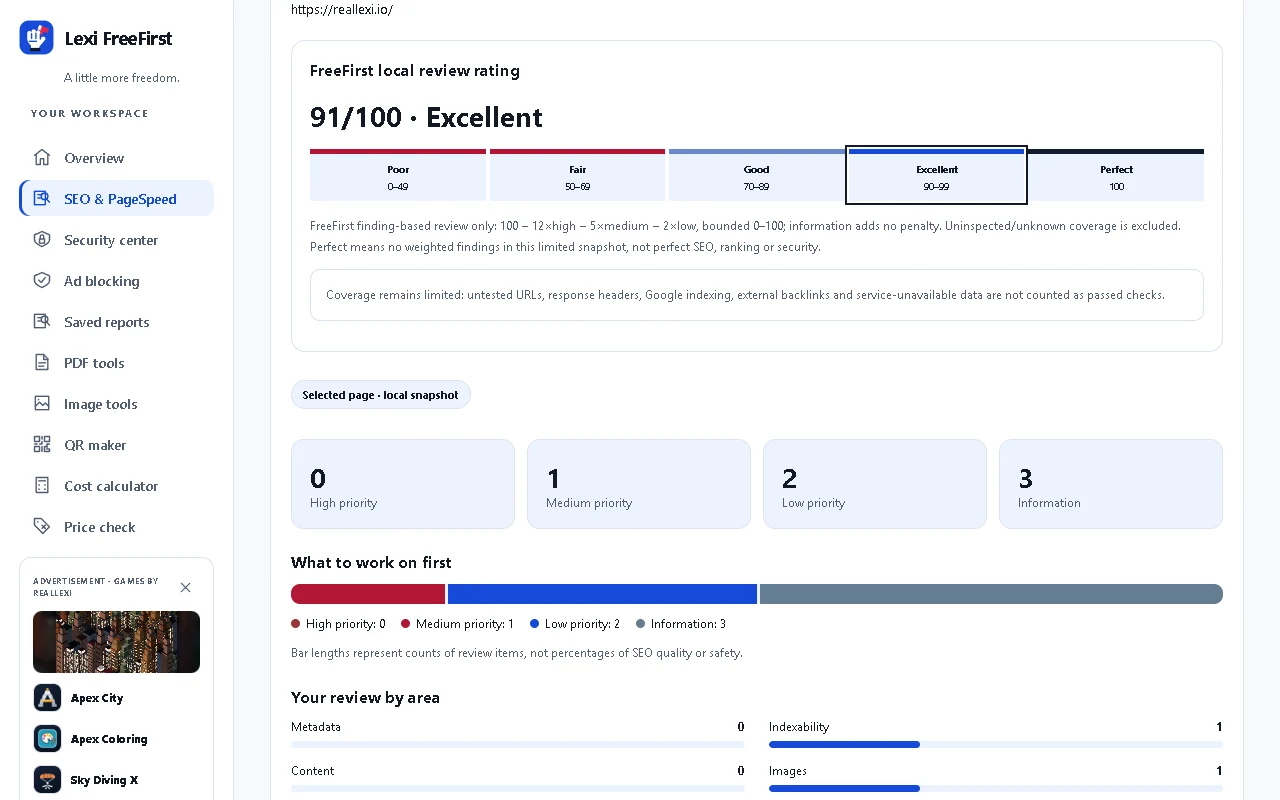
Actual FreeFirst workspace reviewing https://reallexi.io/. Live Google results remain separate from local SEO findings. Scores describe a test run, not a ranking guarantee.
OBSERVED BROWSER BEHAVIOR
Blocking you can verify.
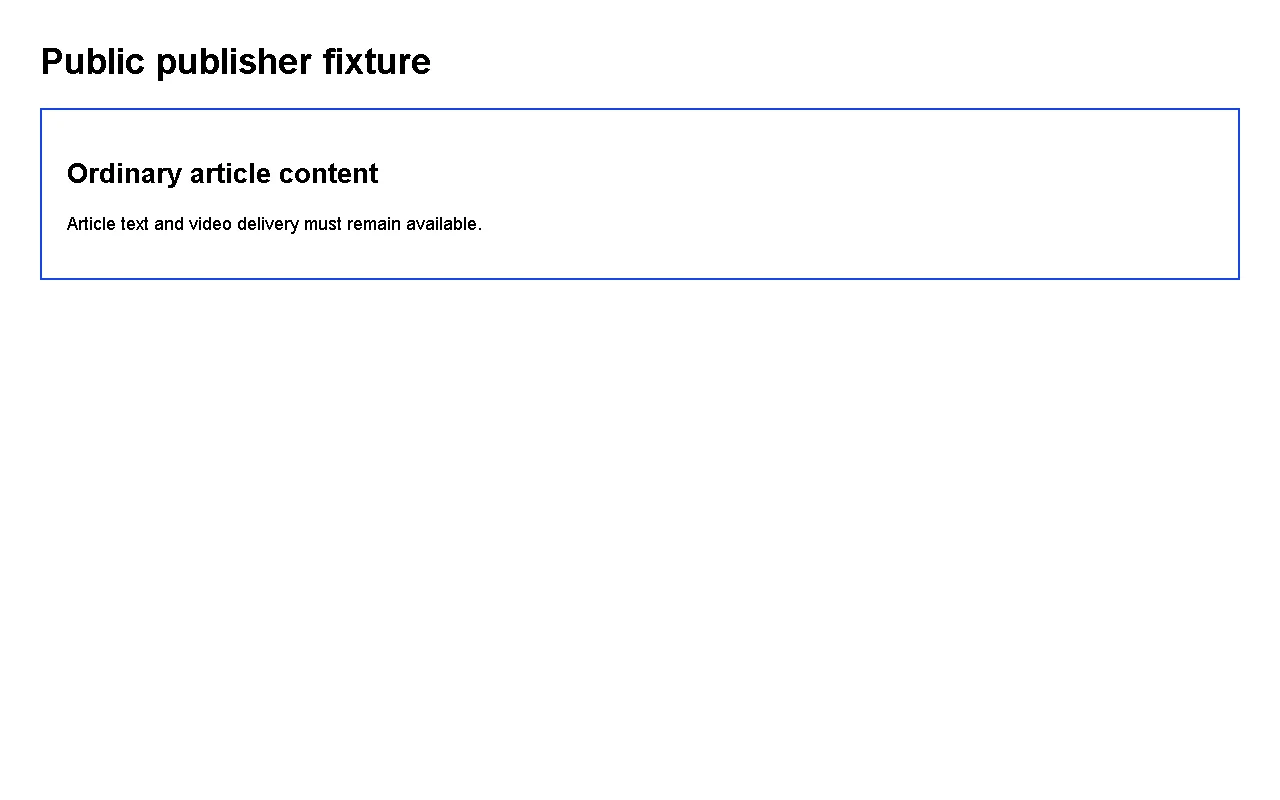
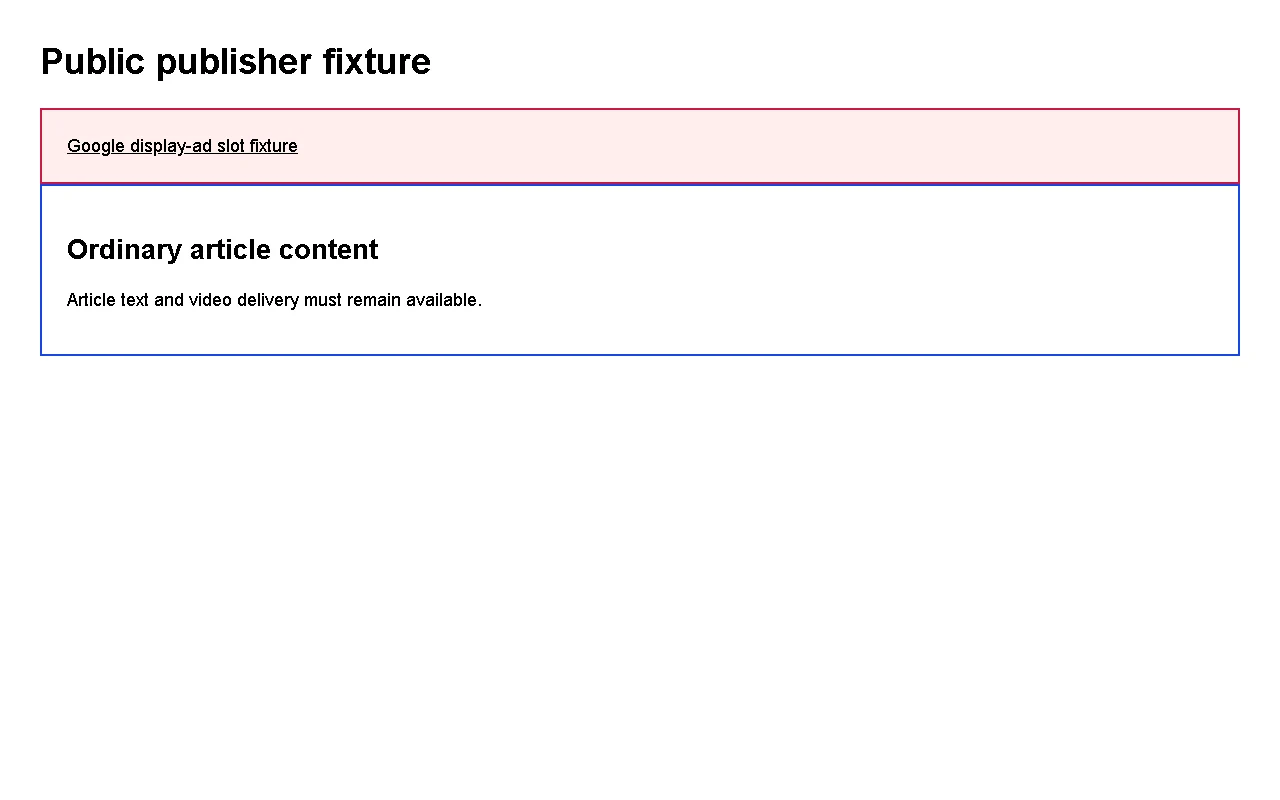
Actual browser enforcement on a controlled local HTTPS fixture. Advertising requests fail while ordinary article and media requests remain available. Pausing this site restores its requests and marked ad slot. These are test fixtures, not live advertising services or a universal blocking guarantee.
Compare enabled and paused blocking
Blocking enabled: the actual browser blocks four advertising requests; ordinary article/media delivery remains available.Same fixture paused: all six test requests succeed and the marked slot returns. QA grants optional website access in its isolated copy.
SEE HOW THE PAGE LOADED
Actual frames. Measured loading time.
Returned or imported Lighthouse screenshots show the page at recorded points in its load. Read the timing, inspect affected HTML and keep the evidence inside FreeFirst.
See actual Google scores in FreeFirstACTUAL TEST EVIDENCE · REALLEXI.IOActual FreeFirst PageSpeed test for https://reallexi.io/. This capture shows returned Google scores or the recorded unavailability; no score is invented. A screenshot alone is not a speed score; absent provider frames stay unavailable.
FILES FIRST. ON YOUR DEVICE.
Your everyday toolkit, without the detour.
Choose files yourself. Work on a copy. Preview what was produced and download only when you are ready.
Merge unencrypted PDFs, extract page ranges, reorder, remove and rotate pages, or convert supported images to a PDF. Local thumbnails and real output bytes make the result reviewable.
Unsupported or encrypted files are rejected. Safety limits apply; thumbnail controls cover the first 30 source pages, while page-order fields cover the allowed document range.
Images & PhotosYOUR LOCAL STUDIO
An original preview, checkerboard canvas, zoom and original/edited controls put the image at the center. Resize, crop, adjust supported quality settings and export PNG, JPEG or WebP where your browser supports them.
Selected browser-image import is a separate, explicit network action. Your chosen local files are not uploaded. Re-encoding does not guarantee a smaller file or forensic metadata removal.
QR Codes & Cost CalculatorSIMPLE, USEFUL ANSWERS
Create a QR code locally and export PNG or SVG. Calculate known monthly, annual or weekly costs, introductory amounts, user-entered taxes/fees and explicit trial dates.
Calculations follow your entries and stated assumptions. They are not invented savings, lowest-price comparisons or subscription cancellation.
VS Code CompanionA SEPARATE, LOCAL WORKSPACE
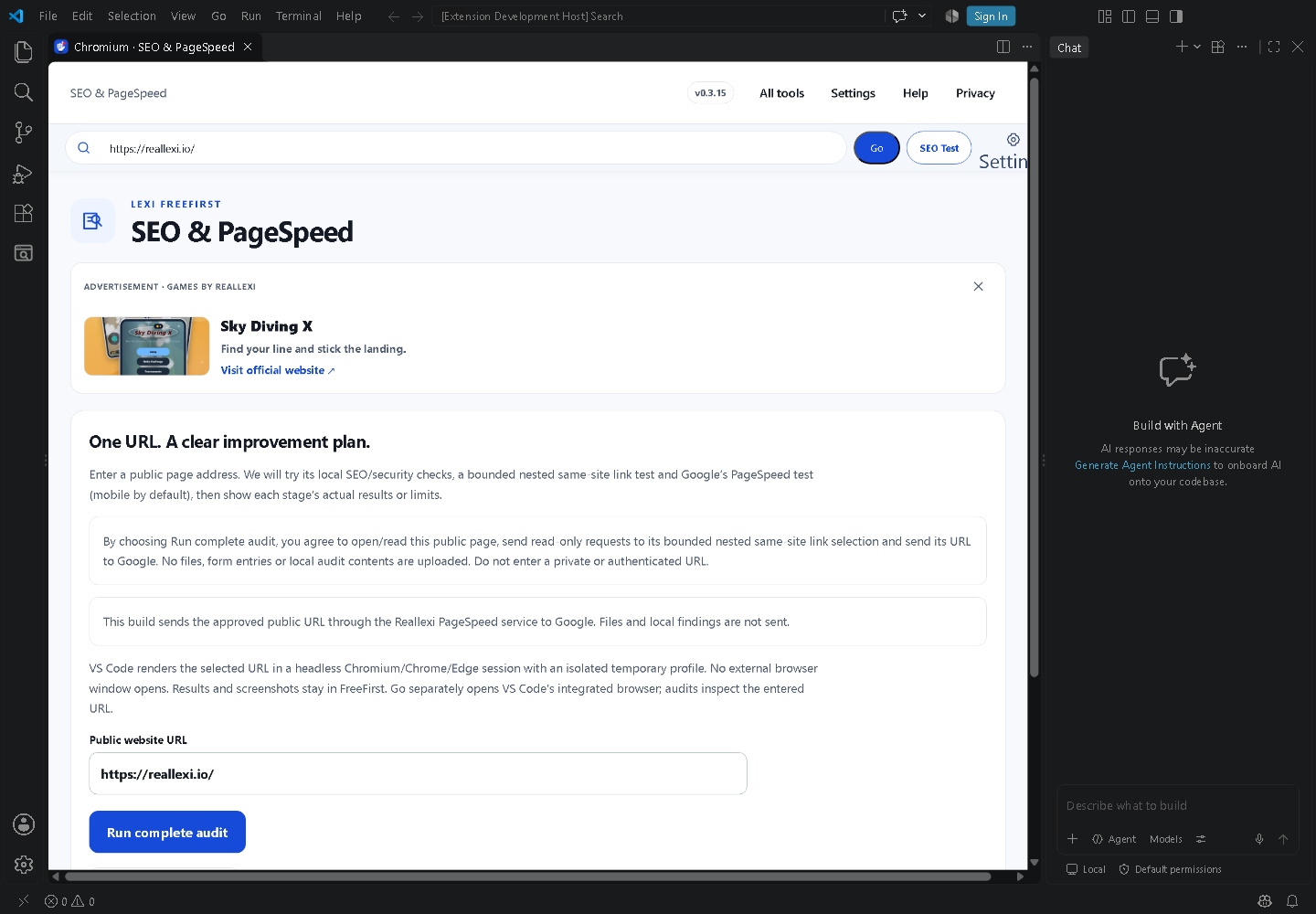
Inside VS Code, use a Chromium-style toolbar with back/forward navigation, reload, an address field, and a managed-browser setting. Go opens the entered public URL in VS Code’s integrated browser tab. SEO Test and Run complete audit render the entered URL in a separate headless session without opening an external browser window; results and screenshots stay in FreeFirst. Menu entries name Chromium for website checks and separate Workspace Code Review for local source or consented OSV checks. Website findings stay in FreeFirst; code findings are readable in the panel and as a full JSON editor report. View actual page screenshots and optionally block requests within the isolated session. Local PDF, image, QR, cost and encrypted-report tools are included.
The managed session is headless and temporary; the toolbar is not a general interactive Chrome window and does not reuse personal browser settings or profiles. Managed blocking affects only pages FreeFirst loads for its own Chromium session. No browser is automatically downloaded. OSV sends dependency names and versions only after consent. Source files stay local; public-service availability limits apply. Local code findings are not proof of complete security.
Run complete audit keeps its controls, results and screenshots in FreeFirst while Chromium renders the URL headlessly. Go separately opens VS Code’s integrated browser tab.
SECURITY WITH THE SMALL PRINT UP FRONT
More information. Fewer empty promises.
Read an observation, understand its scope, and decide what to do. FreeFirst adds useful controls while leaving your browser’s own security protections in place.
✓
What it can show
Actual recent browser rule matches, when authorized and available
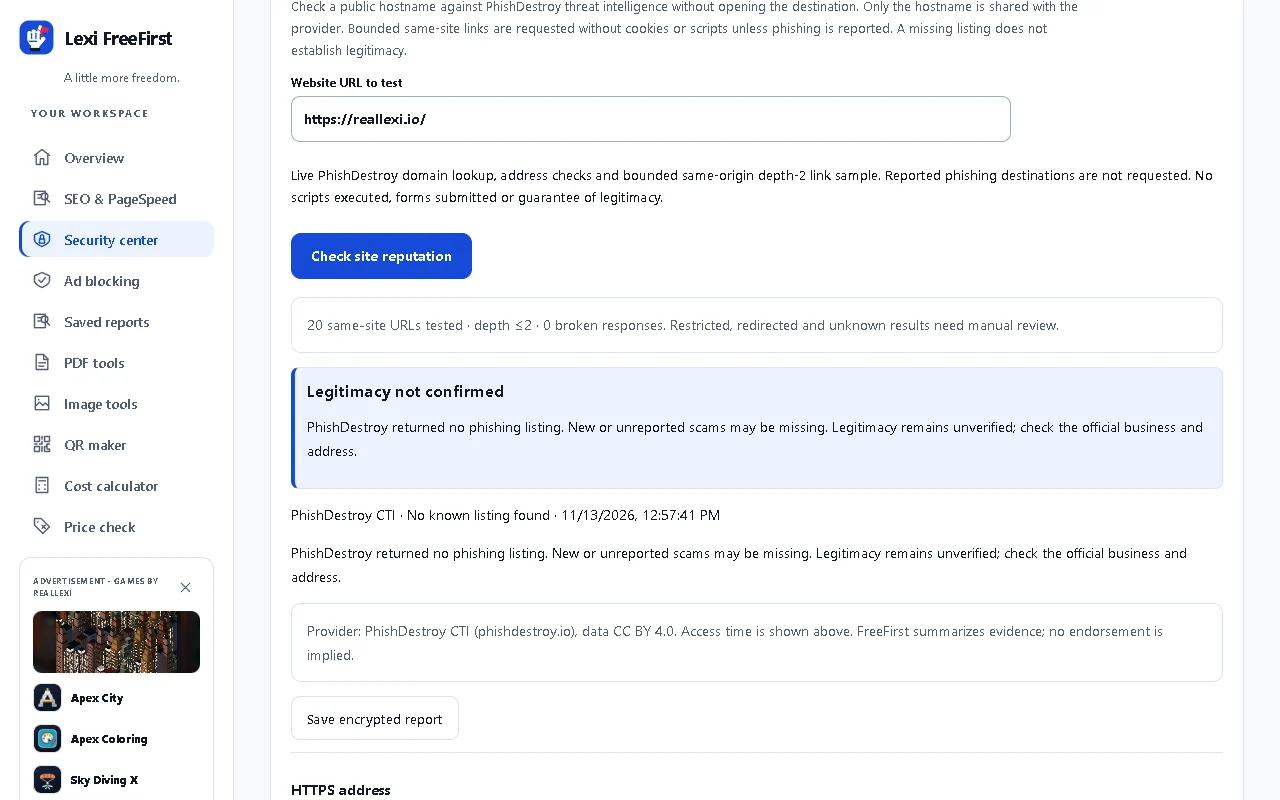
Live PhishDestroy domain-reputation evidence after your action
HTTP/HTTPS address and hostname observations
Declared HTTP resource and form destinations
Explicit, bounded public-link test outcomes
Practical review and verification suggestions
—
What it does not claim
Antivirus, certificate validation or guaranteed legitimacy
Complete blocking of every ad or tracker
Guaranteed search rankings or a perfect SEO result
A whole-site penetration test or full code audit
Store approval or superiority over security products
ALSO INCLUDED · LOCAL FILE TOOLS
Useful extras. Private documents.
PDF, image, QR and cost tools are included. Turn on the optional workspace lock to store documents encrypted in this browser.
Encrypted storage uses AES-256-GCM for document contents and filenames. Choose a FreeFirst passcode, a compatible browser passkey/device unlock, or both. New workspace tabs require unlock; inactivity locks after five minutes. Originals and decrypted downloads remain outside the vault. Reports can also be saved encrypted for later in-app comparison of SEO findings, Google scores, site-reputation evidence and link results. There is no account recovery.
Real domain-reputation workflow. Only the hostname is shared after you choose Check. Provider availability and coverage limits apply.Optional encrypted vault and workspace lock. Temporary previews can be cleared separately from saved encrypted documents.
PDF, image, QR and calculator work happens on your device. No account or owned processing server is needed.
A network test should look like one.
Google PageSpeed, PhishDestroy domain checks, public links, public image import and external scanner tools have explicit actions and disclosures. They are separate from offline file tools.
Promotions without the ad network.
Clearly labeled, dismissible house promotions use packaged artwork and official Reallexi game links. No impression tracking, click reporting or remote ad SDK.
GET FREEFIRST
A careful release, not a rushed promise.
Start with the free web tools now. Browser-store and Marketplace listings are being prepared; their links will appear after publication.
Try it in this tab.
Open the local image, PDF, QR and cost tools, audit saved HTML, or use explicit public-URL checks where the destination allows browser access.
The website cannot block ads in other tabs or bypass CORS. The browser extension provides separately authorized tab inspection and request blocking.
Local tools, optional request blocking, page checks and SEO workflows.
SEPARATE BROWSER BUILD
Firefox
A browser-specific package is prepared. Functional acceptance and permission-flow checks remain.
DESKTOP COMPANION
VS Code
SEO, PageSpeed, site checks, scoped managed-Chromium blocking, encrypted reports and local tools in an editor tab.
There are no public package-download or store links on this page yet. No account credentials, private repository source or unsigned development packages are published here.
GOOD QUESTIONS
Clear answers, before you install.
Is FreeFirst actually free?
The included FreeFirst tools and blocking controls have no subscription or paid feature gate. Promoted games and optional external providers have their own terms, pricing and quotas.
Does it send files to a server?
The local PDF, image, QR and cost tools do not upload selected files. External tests are separate, explicit actions. The privacy policy explains the data each action can send.
Will this improve my Google ranking?
It can help identify and fix page issues. Rankings depend on many factors; no audit tool can guarantee placement in search results. Google’s own live tests may be quota-limited.
Does it replace browser security or antivirus?
No. Keep your browser updated and its own protections enabled. FreeFirst provides optional request blocking and limited local observations, not a malware scan or guarantee of legitimacy.
A little more freedom for the everyday web.
Built by Reallexi LLC. Useful by design. Honest about its limits.
SEO audit: Review metadata, canonical/indexing declarations, headings, images, structured data, sharing tags and links. See prioritized fixes, observed values, safe HTML excerpts for affected tags, why a requirement passes and example markup. A bounded page review. Passed requirements describe observed evidence, not guaranteed indexing or rankings.
Google PageSpeed: View returned performance, accessibility, best practices and SEO scores, lab metrics, diagnostics and tested-page screenshot and timed loading frames when supplied. Copy results, download screenshots, export JSON or import Lighthouse JSON inside FreeFirst. Actual provider results stay separate from the local review. Quota, network and missing-data states remain unavailable. Imports are labeled.
Site security: Check a hostname against live PhishDestroy intelligence, review address/resource clues and run a bounded same-origin link sample. Reported phishing destinations are not requested. Listed, suspicious, reviewed, not listed and unavailable are distinct. No listing never proves legitimacy. This is not antivirus or certificate validation.
Ad & tracker blocking: Block ad/tracker domains and ad URL paths, hide marked ad slots, clean supported ChatGPT ad placements and handle marked YouTube ad players. Turn blocking on/off, pause a site and review actual request activity. 10,449 packaged network rules, including compatibility exceptions, from pinned AdAway and EasyList data. Optional page/video filtering; native per-tab icon counts where supported. Browser-extension and managed-Chromium scope.
PDF & Documents: Merge, extract, reorder, remove and rotate pages; convert images to PDF; preview and export actual outputs. Encrypted/unsupported PDFs are rejected.
Cost calculator: Work out known recurring costs, introductory amounts, taxes, fees and trial dates from your entries.
Price check: Review selected visible price/renewal wording or manually pasted non-sensitive text. No automatic lowest-price or savings claim.
VS Code companion: Address toolbar with Go for VS Code’s integrated browser and SEO Test for the entered URL in a headless audit session; PageSpeed, security and scoped blocking; separate local/consented-OSV code review with full findings in FreeFirst and JSON in an editor. The browser uses an isolated temporary profile; the settings button opens its VS Code executable preference.
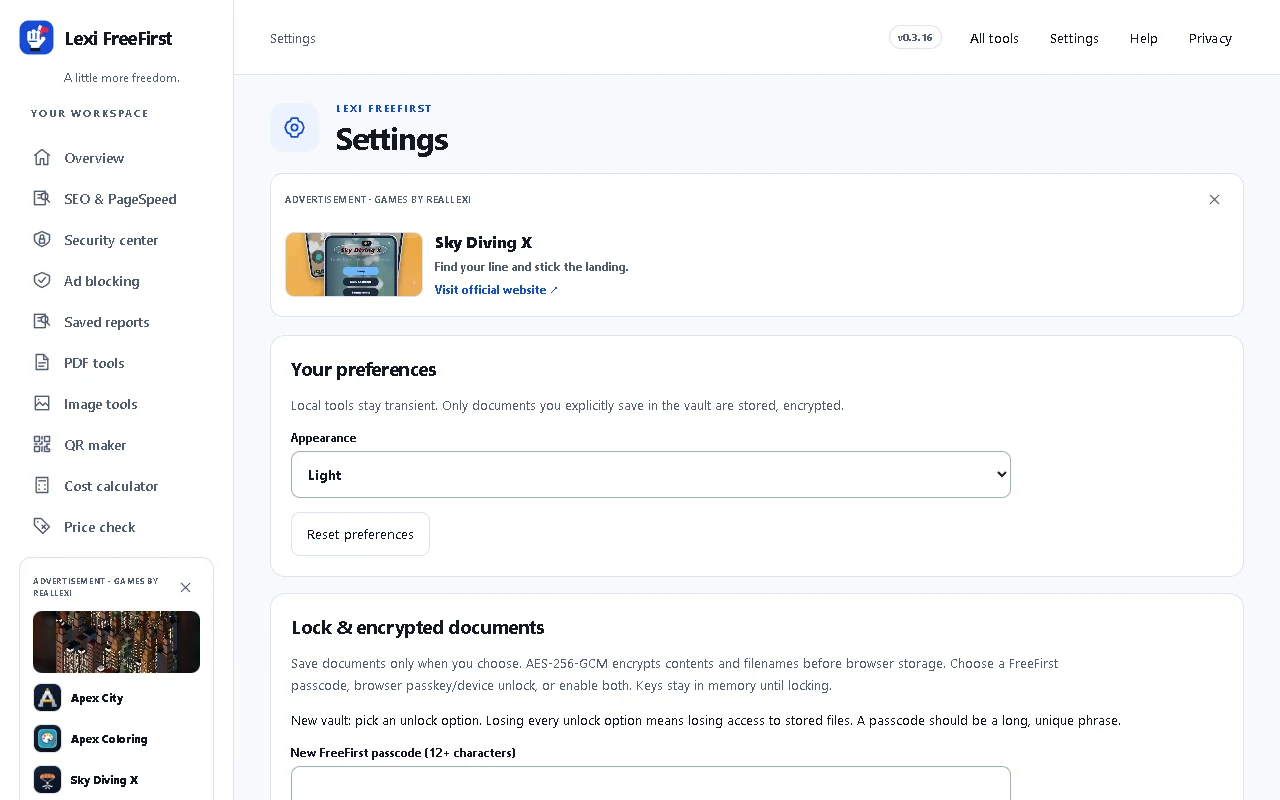
Privacy and Settings: Local preferences, optional appearance choices, encrypted vault, lock and temporary-data clearing.